How to Schedule Tweets Without Sounding Like a Bot
Scheduling saves the posts. It does not save the conversation. Here is how to do the first without killing the second.

How to schedule tweets is a two-minute question with a longer answer. The button is easy. The hard part is deciding what goes in the queue and what never should.
My own setup sits at the far end. Postiz runs on my own server and plans the posts for @MrB2Beast. An agent writes them 10 to 14 days in advance, a second agent checks them, and I approve nothing up front. I only stop what I do not like, from Telegram.
That setup also broke in ways worth showing you. So this article covers three ways to schedule posts on X, from the built-in button to self-hosted, then the part most guides skip: what to schedule, what to keep human, and what goes wrong.
Key takeaways
- Three routes: schedule on X itself, use a scheduling tool, or host your own. Pick by how many posts you plan, not by features.
- Schedule the posts. Never schedule the conversation. Replies under other people's posts stay manual.
- A full queue fails quietly. Check for empty placeholders and failed posts, or the queue will embarrass you.
How to schedule a tweet on X itself
You do not need any tool to start. X has built-in scheduling, and for one or two posts a day it is enough.
On the web (x.com).
- Click Post and write your post.
- Click the calendar icon in the composer.
- Pick a date and time, click Confirm, then Schedule.
Buffer's guide notes two limits: you can schedule up to 18 months ahead, and posts scheduled on X are capped at 280 characters, also with Premium. Your queue sits in the composer under Drafts, in the Scheduled tab.
In X Pro. X Pro, the multi-column tool that replaced TweetDeck, also schedules posts, threads included. It sits behind a paid plan, and X reshuffled its plans in 2026, so check yours first.
In the Ads composer. X documents a third route on ads.x.com: write the post in the Composer, open the arrow next to Post, choose date and time, click Schedule. You only need it if you already run ads.
How to schedule tweets on your phone
This one keeps changing. For a long time the X app had no schedule button at all. In September 2026, X started rolling scheduling out to the app. One hands-on report found it on iOS, not on Android. Open your composer and look for the calendar icon.
If it is not there, two workarounds still work. Open x.com in your phone's browser, where scheduling works. Or use a scheduling tool with its own app.
Schedule posts on X with a tool
Once you plan a week at a time, the built-in button gets tedious. That is where scheduling tools come in.
This is not a ranking. Plans and prices move too often for that. Here is what to check before you pick one:
- Official connection. The tool should connect to X through its API and your login, not ask for your password.
- A queue with fixed slots. You want to define slots once and fill them, not pick a time for every post.
- Drafts and review. Somebody, you or a second person, should see the post before it goes live.
- Threads. If you write threads, check that the tool can schedule them as one unit.
- A pause button. When something big happens in the world, you want to stop everything in one click.
For timing, pair the tool with a fixed posting grid. Mine is in best time to post on X. This article is about the mechanics, that one is about the clock.
Self-hosted: how I schedule posts with Postiz
The third route is to run the scheduler yourself. I use Postiz. It is open source under the AGPL-3.0 license, can run on your own server, supports X, and has a public API. The API is what makes the rest possible: software can fill the queue, not only me.
Here is the chain on @MrB2Beast, in plain words:
- Write. An agent (Claude Code, running headless on a schedule on my own Hetzner server) writes the X posts 10 to 14 days ahead.
- Check. A second agent checks them.
- Slot. The posts go into four fixed slots a day. At most 5 posts a day, at least 180 minutes apart. Those limits sit in the code, not in a prompt.
- Veto. From Telegram, I stop any post I do not like. Nothing needs my approval up front.
- Live. Postiz publishes. Every new article on this site also goes out as an X post automatically, since 2026-10-08.
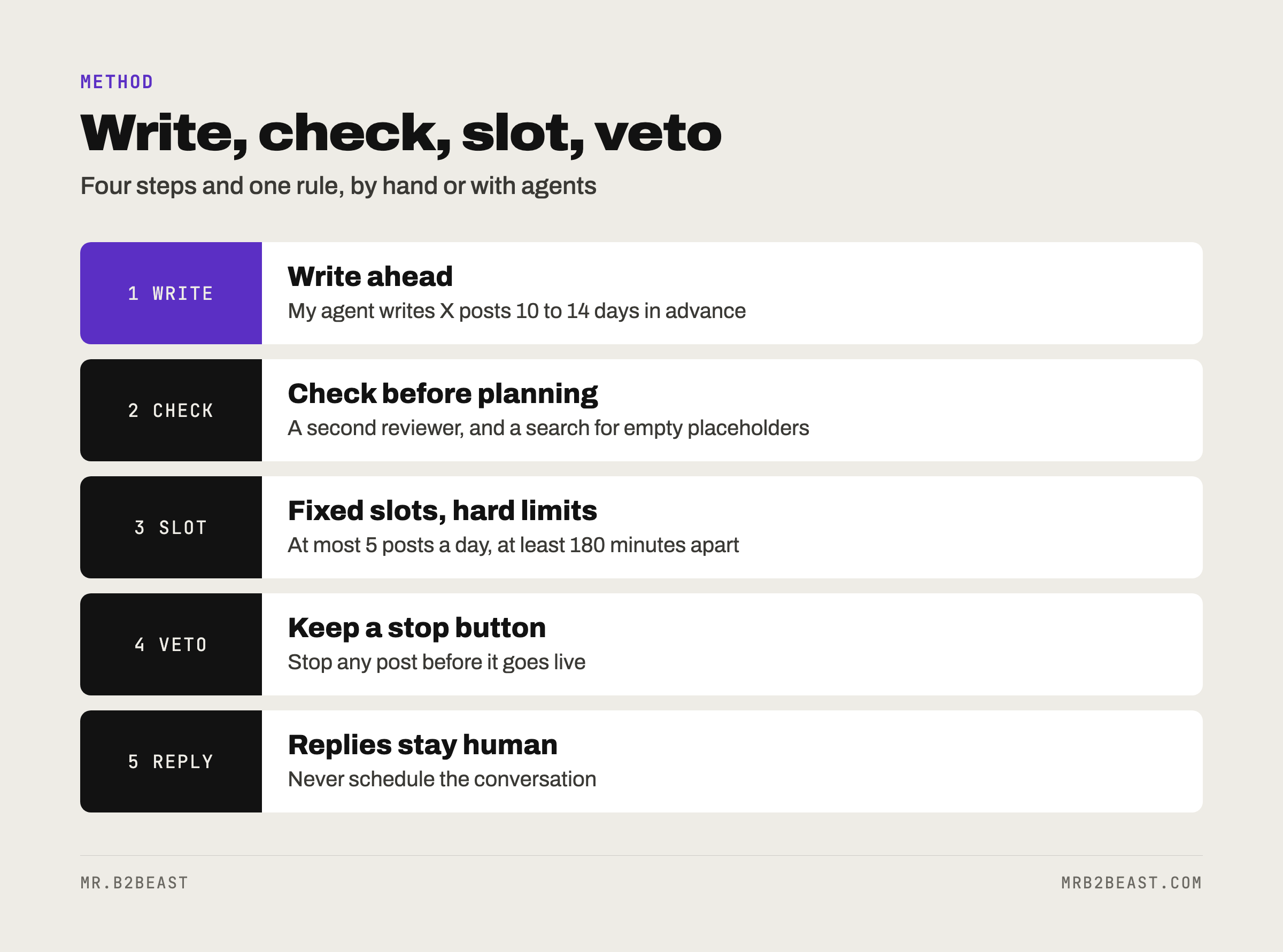
If that sounds like a lot, it is the same logic at any size. Write ahead, check, put into slots, keep a veto. You can run all four steps by hand with the free calendar icon. The AI operating system article shows how the agent side fits together.
What broke when I automated scheduling
Every scheduling guide shows the happy path. Here is mine going wrong in October 2026.
- Three weekly recap posts, planned from 2026-10-16 to 2026-10-18, still had unfilled placeholders where a number and a post should have been. They stayed as drafts in Postiz and never went out.
- A connect post on 2026-10-19 at 23:00 failed to publish.
- The checking agent rejected nothing in its first batch of 24 posts on 2026-10-19.
The broken posts never reached my followers. The lessons are cheap to copy:
- Search the queue for brackets. Any post with an unfilled placeholder should block, not wait.
- Check what actually went out. A scheduled post is a promise, not a fact. Compare the queue with your profile once a day.
- Do not trust a reviewer that never says no. A check that passes 24 out of 24 posts may not be checking much. Test it with a post you know is bad.
This is the same idea as the checklist research: a process only helps if someone looks at the result.
Twitter automation: what to schedule and what never
X allows scheduled and automated posts, within its automation rules. The same rules forbid automated replies triggered by keyword searches, automated likes, and duplicate or substantially similar posts. Read them once before you automate anything.
My own line is stricter than the rules. These are the things I never automate:
- Replies under other people's posts. I get drafts, then I post them myself.
- Follows, except following back.
- Reposts.
- DMs, except the lead magnet link to people who ask for it.
- The engagement group.
- Anything on LinkedIn.
- Emails to individual people.
The X tips library backs the first point. One creator warns that AI-written replies lead to reach penalties, so replies are written by hand.
The library also shows a real disagreement about how far ahead to plan. Two videos batch a few days or at most a week, so posts match what works right now. Another plans 60 posts for 30 days in one session. One creator schedules only the first one or two posts of a day and leaves room for reactions to trends.
My 10 to 14 days sit in the middle. The cost is real: a queue cannot react to the news. So let the queue carry the evergreen posts, and leave room for topical posts on purpose.
Do scheduled tweets get less views?
I have found no statement from X that scheduled posts rank lower than posts sent by hand. If X ranks the post by what it says, as several creators argue, the button you pressed matters less than what you wrote.
What does hurt is how a queue tends to read. Five posts in a row with the same structure sound like a machine, whoever sent them. Vary the format, and read the next five planned posts together before they go out.
FAQ
How do I schedule a tweet on X? On x.com, write your post, click the calendar icon in the composer, pick a date and time, click Confirm and then Schedule. According to Buffer's guide, posts scheduled on X are capped at 280 characters. X Pro and the Ads composer can schedule posts too.
Can I schedule tweets on my phone? X started rolling scheduling out to its app in September 2026. One report found it on iOS, not on Android. If your composer has no calendar icon, open x.com in your phone's browser, or use a scheduling tool with a mobile app.
How far ahead can I schedule tweets? According to Buffer's guide, X lets you schedule posts up to 18 months in advance. Planning that far rarely makes sense. Two creators in my library plan a few days to a week ahead so the posts still match what works now.
Is scheduling tweets against X's rules? No. Scheduled and automated posts are allowed under X's automation rules. What is not allowed includes automated replies triggered by keyword searches, automated likes, and duplicate or substantially similar posts. Keep replies human and vary your posts.
About the author
Tristan Eilenburg. One person. AI systems. Global reach. I write about building systems that work, with evidence instead of hype.
- X: @MrB2Beast
- LinkedIn: Tristan Eilenburg
- Instagram: @mrb2beast
The newsletter goes out once a week. If this one taught you something, the newsletter is where the next one lands first. The X tips behind this article are free in the X tips cheat sheet.
Sources
- X Business Help Center. Scheduled Posts. https://business.x.com/en/help/campaign-editing-and-optimization/scheduled-tweets
- X Help Center. How to use X Pro. https://help.x.com/en/using-x/how-to-use-x-pro
- Sked Social (2026). How to schedule posts on X: native routes, threads, and teams. https://skedsocial.com/blog/schedule-x-twitter-posts
- Engadget. X moves the ashes of TweetDeck behind its $40 Premium+ subscription. https://www.engadget.com/social-media/x-moves-the-ashes-of-tweetdeck-behind-its-40-premium-subscription-210601250.html
- X Help Center. Automation rules. https://help.x.com/en/rules-and-policies/x-automation
- Buffer (2025, July 31). How to Schedule Tweets. https://buffer.com/resources/how-to-schedule-tweets/
- Brandwatch. Can You Schedule Posts on X? Mobile and Desktop. https://www.brandwatch.com/blog/how-to-schedule-posts-on-x/
- Roboin (2026, September 7). X brings scheduled posts to iOS, with Android support absent. https://roboin.io/article/en/2026/09/07/x-for-ios-finally-supports-scheduled-post/
- Postiz. Documentation. https://docs.postiz.com/introduction
- Postiz (gitroomhq). postiz-app, AGPL-3.0. https://github.com/gitroomhq/postiz-app