How to Write a Thread on X That People Finish
A thread is not a long post cut into pieces. It is a chain where every post has to earn the next one.

Most guides on how to write a thread explain the buttons. The buttons take 30 seconds. The hard part is the writing: a first post that works on its own, one idea per post, and a last line worth reaching.
I took my thread rules from a library of X tips I keep for my own account: 148 tips from 9 creator videos, 22 of them backed by at least two creators (as of 2026-10-19). Below: the structure, the mechanics in the X app, a thread you can copy, and what to do after you post.
Key takeaways
- The first post has to work as a standalone post. Most readers never open the rest.
- One idea per post, each short enough that nobody has to tap "Show more".
- End with a hard closing line and, on selected threads, one concrete next step.
What is a thread on X?
A thread is a series of connected posts from one account, published together. In the feed, people meet the first post. Everything below it has to be chosen, one tap at a time.
Threads fit frameworks, case studies and step by step guides: content that needs more room than one post. Two creators in my library describe the split the same way: short posts bring attention and profile visits, longer formats like threads and articles turn those visitors into followers.
So a thread is not your reach format. It is your conversion format.
How to create a thread on X
The mechanics, per X's help center:
- Tap the compose button and write your first post.
- Tap the plus icon to add the next post. It highlights once the current post has text.
- Repeat for every post. A single post can be removed with its delete icon.
- Tap "Post all" to publish the whole thread.
Length works by X's counting rules. Standard accounts get 280 characters per post, most Latin characters count as one, every emoji counts as two, and every link counts as 23, however long it is. One creator in my library adds a stricter rule: keep each post short enough that nobody has to tap "Show more".
How to write a Twitter thread: four parts
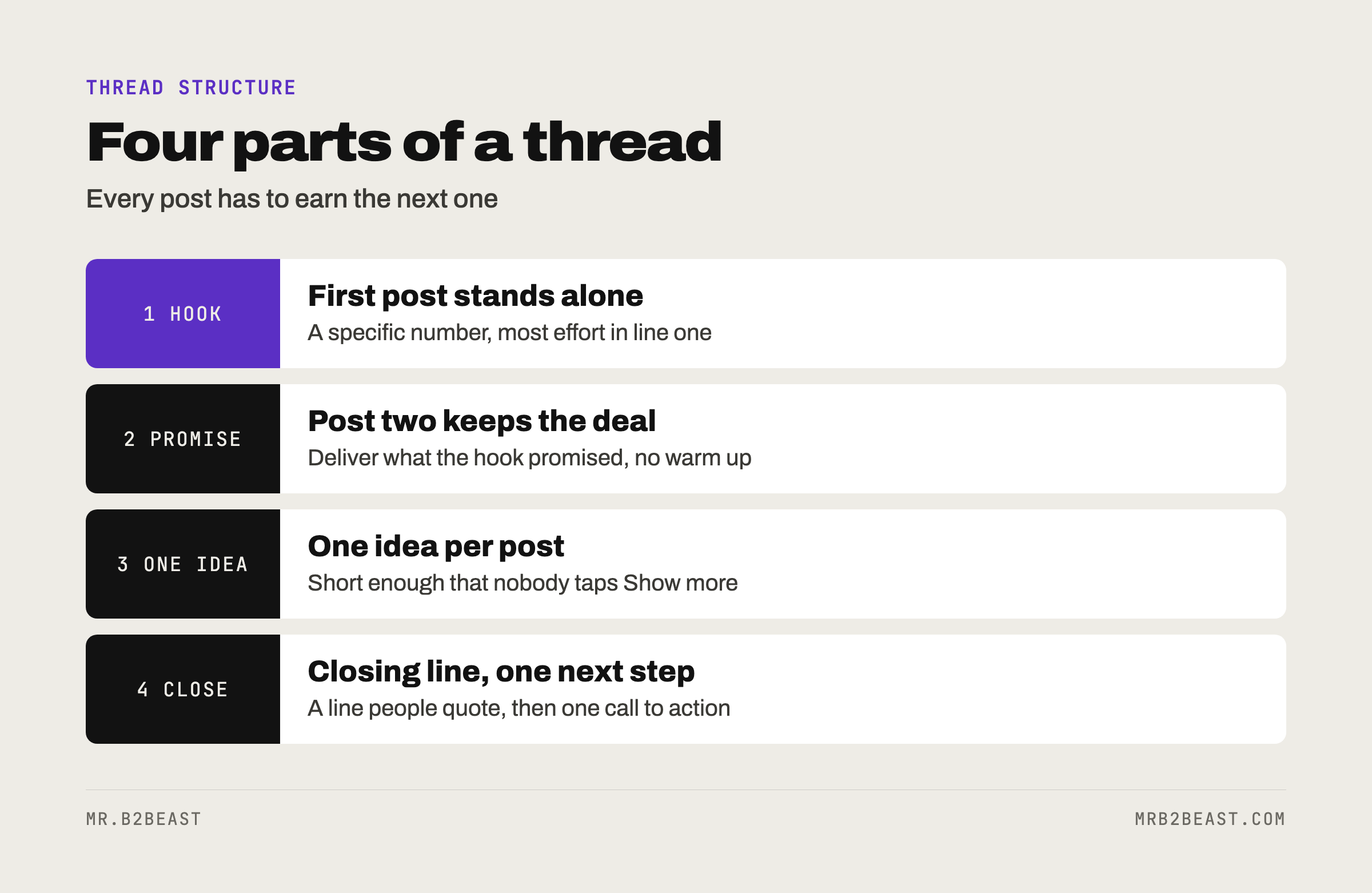
1. Hook: the first post stands alone
Write the first post as if nothing came after it. If it only makes sense as a teaser, it fails twice: in the feed and in every quote or repost.
What the library says about hooks:
- Lead with a specific number. This is one of the tips backed by two creators. One of them claims numbers in the hook made posts perform about ten times better. Treat the factor as a claim, the direction as solid.
- Put the most effort into line one. A weak first line costs reach and readers before anything else gets a chance.
- Skip worn status claims. Readers are numb to clichés. Specific and surprising beats loud.
- Write ten versions. One creator generates ten alternative hooks per post and picks one. It is the cheapest edit you will ever make.
2. Promise: post two keeps the deal
The library rule: line two keeps the promise of line one, or you get mockery instead of engagement. In a thread, post two is line two. If the hook says "five steps", post two starts step one. No warm up, no backstory.
3. One idea per post
Each post carries one idea and nothing else. Short sentences with rhythm, no nested clauses. Specific beats general: numbers, names of tools, what and how.
Aim for 5 to 12 posts. Fewer and it should have been one post. More and the middle sags. For lists inside a post, the library has one trick: order the lines by length so they form a staircase. Easy to scan.
4. Closing line and next step
End on a short line that lands, the kind people quote. Then decide if this thread gets a call to action. One creator argues that pure value content does not convert on its own, so selected posts should end with one concrete next step: follow, reply with a keyword, or read the long version. One step, never three.
A Twitter thread example you can copy
Here is a skeleton built from my own setup. Every number in it is real.
1/ Since 2026-10-19 an agent writes my X posts 10 to 14 days ahead.
A second agent checks them. I approve nothing in advance.
Here is the setup, including what broke:

2/ The writer is Claude Code, running headless on a schedule
on my own server. Nothing waits for me.

3/ The checker reviews every post the writer produces.
In its first batch of 24 posts, it rejected nothing.

4/ Things still break.
Three weekly recap posts had unfilled placeholders.
They stayed drafts and never went out.

5/ My only control is a veto.
I stop what I do not like via Telegram.

6/ Lesson: zero rejections is not a quality score.
It is a question.
Post one works alone. Post two keeps the promise of "the setup". Every post holds one idea. The last one ends on a line people could quote. More on that setup in AI workflow automation.
What to do after you post a thread
Use the next slot. Two creators in my library describe the same effect: after a post takes off, your next one or two posts are shown to the people who interacted with it. One of them puts a call to action or lead magnet right there. Plan that post before you publish the thread.
Do not judge it in an hour. One creator works with a lifespan of about two days per post. When you post matters too, which is covered in the best time to post on X.
Measure profile visits, not impressions. A thread is a conversion format, so judge it by profile visits and new followers. Which numbers to read and how often is in X analytics.
Reuse the winners. Only your best threads deserve a second life as a newsletter issue, an article or short posts.
Thread mistakes that cost readers
- A first post that only teases. "A thread on productivity" is a label, not a hook.
- Writing that sounds like AI. One creator in my library is blunt about it: posts in a generic AI tone go nowhere. Read it out loud. If no person would say it, rewrite it.
- Hashtags. The library says the platform reads the content itself. Name the topic in plain words instead.
- Five ideas in one post. Split them, or cut four.
If you are still building an audience from close to zero, start with how to get followers on X. The full set of tips behind this article is free in the X tips cheat sheet.
FAQ
How long should a thread be? Long enough for one complete idea, broken into steps. Aim for 5 to 12 posts. If you can say it in one post, post one post. If you need more than 12, write an article and promote it with a single post.
What is an example of a thread? A good example is a step by step guide: a first post with a specific number and promise, one post per step, and a closing line. The skeleton above shows a six-post thread about an agent setup, including what went wrong.
Do threads still work on X? For one job: turning visitors into followers. Short posts get the attention. Judge threads by profile visits and new followers, not by impressions.
About the author
Tristan Eilenburg. One person. AI systems. Global reach. I write about building systems that work, with evidence instead of hype.
- X: @MrB2Beast
- LinkedIn: Tristan Eilenburg
- Instagram: @mrb2beast
The newsletter goes out once a week. If this one taught you something, the newsletter is where the next one lands first.
Sources
- X Help Center (2026). How to create a thread on X. https://help.x.com/en/using-x/create-a-thread
- X Developer Platform (2026). Counting characters. https://docs.x.com/fundamentals/counting-characters