Claude MCP Explained: What an MCP Server Does for You
MCP is the plug between Claude and your other tools. Here is what it does, how to add one, and what it costs you.
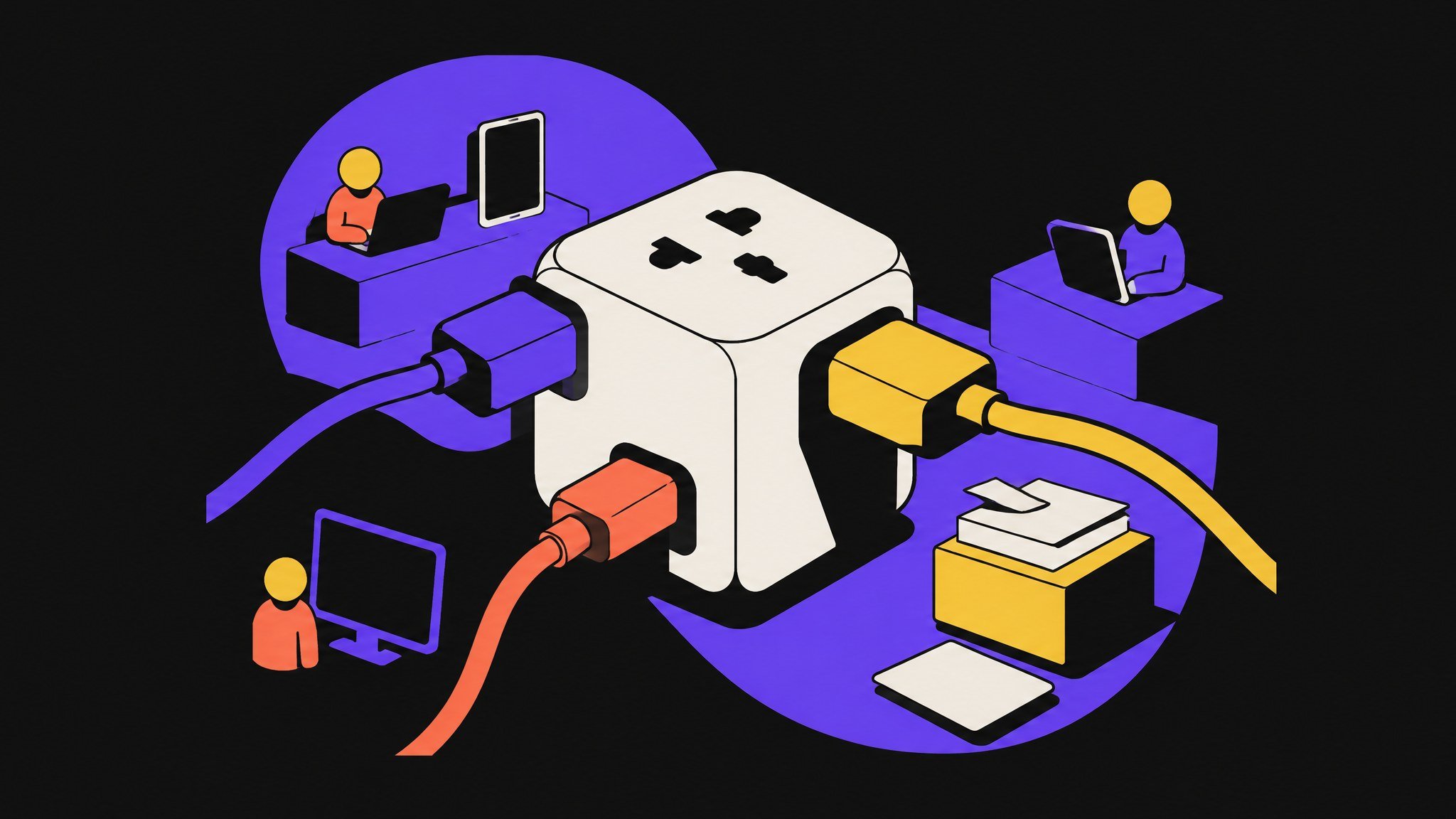
Claude MCP sounds like something only developers need. It is not. If you have ever copied data out of one tool, pasted it into Claude and copied the answer back, MCP is the thing that removes that loop.
Most explanations of MCP are written for people who build servers. This one is for people who want to use them. I keep building my own site with Claude Code, and in my setup it connects to four MCP servers. One tool I deliberately keep out.
By the end you will know what MCP is, what an MCP server actually does, how to add one, and which costs show up later: context, output and trust.
Key takeaways
- MCP (Model Context Protocol) is an open standard that connects AI apps like Claude to outside tools and data. Anthropic introduced it on 2024-11-25.
- An MCP server is a small program that offers Claude tools, data and prompt templates. Claude decides when to call them.
- Every server you add is a trust decision. Add one for a job you repeat, not because a list said so.
What is MCP? The short answer
MCP stands for Model Context Protocol. The official documentation calls it an open source standard for connecting AI applications to external systems. Its own analogy is a USB-C port for AI: one plug shape, many devices.
Before MCP, every connection between an AI app and a tool needed its own custom integration. Anthropic's launch post put the problem plainly: every new data source required its own implementation, which made connected systems hard to scale.
Since then, MCP has outgrown its origin. On 2025-12-09, Anthropic donated the protocol to the Agentic AI Foundation, a fund under the Linux Foundation co-founded by Anthropic, Block and OpenAI. At that point Anthropic counted more than 10,000 active public MCP servers and over 97 million monthly SDK downloads across Python and TypeScript.
That matters for you for one reason. MCP is not a Claude feature that may disappear next quarter. It is a shared standard, and tools like ChatGPT, Visual Studio Code and Cursor support it too.
What is an MCP server, in plain words?
An MCP server is a program that gives an AI app access to one system. The AI app is called the host. Claude Code and Claude Desktop are hosts. For every server you connect, the host opens one client, a dedicated line to that server.
The server can offer three kinds of things:
- Tools: actions Claude can run, like creating a post, querying a database or opening a page.
- Resources: data Claude can read, like a file, a schema or a record.
- Prompts: reusable templates for a task, like a review checklist.
Servers run in two places. A local server runs on your own machine and talks to the host over standard input and output. A remote server runs somewhere else and talks over HTTP, often with a login through OAuth.
The part most people miss: Claude does not call every tool all the time. It sees what is available and picks a tool when the task needs one. You ask for a result. Claude decides whether a tool gets it.
Why Claude MCP matters if you do not write code
The value of an MCP server is not technical. It is the copy and paste you stop doing.
Without MCP, Claude only knows what you paste into the chat. With MCP, Claude can read and act on the system directly. The Claude Code documentation describes it the same way: connect a server, and Claude works on the real system instead of on data you pasted.
For a solo builder that changes the shape of a day. A task like "schedule next week's posts" stops being a list of manual steps and becomes one sentence with a check at the end. It is the same idea I wrote about in AI workflow automation: write the process first, then let software carry the steps that are stable.
It also changes what an agent can do. An agent without tools can only write text. An agent with MCP servers can do work, which is also where most of the risk sits. More on that below.
My Claude MCP setup: four servers and one deliberate no
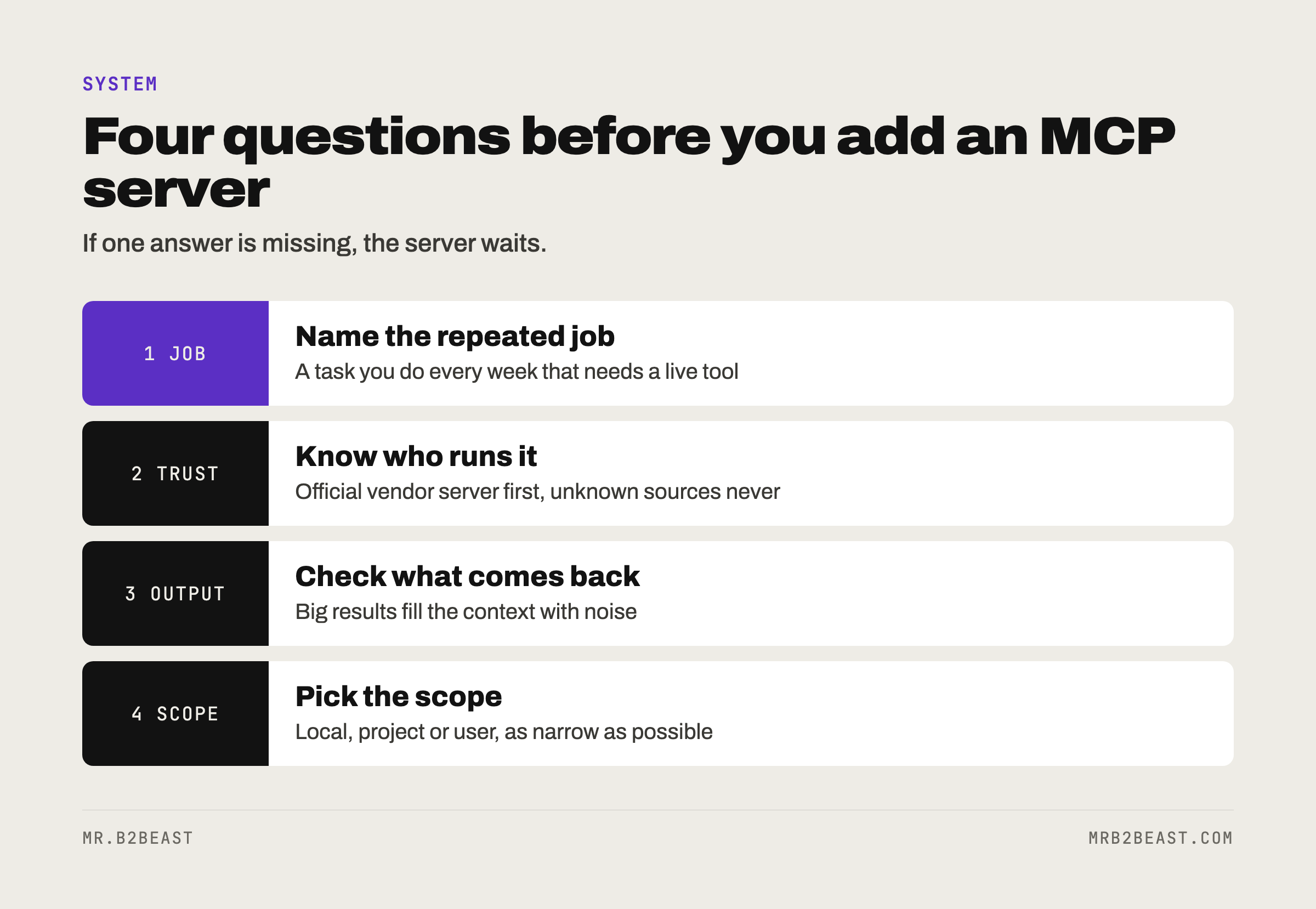
Here is what Claude Code connects to in my setup, and what each one is for.
- Postiz. Runs on my own server and schedules my X posts. Claude can plan a post without me opening a scheduling tool.
- Composio. Covers more apps through one connection.
- Chrome control. For browser tasks, like working in the X developer console.
- Context Mode. Keeps large tool outputs out of the context, so one big result does not crowd out the actual task.
And the deliberate no: DataForSEO, my source for search data. It runs as a script, not as an MCP server. The reason is cost. Every query costs money, and the script logs each query with its cost. Through a server, Claude could fire off queries I never see on a bill until later.
That is the rule I took from it. MCP is the right choice when you want Claude to decide when to use a tool. A script is the better choice when every call should be counted, logged or limited.
How to add an MCP server to Claude Code
You need one command per server. For a remote server, the documentation recommends the HTTP transport:
claude mcp add --transport http notion https://mcp.notion.com/mcp
For a local server, you pass the command that starts it after a double dash. Everything after the double dash belongs to the server, not to Claude:
claude mcp add --env AIRTABLE_API_KEY=YOUR_KEY --transport stdio airtable -- npx -y airtable-mcp-server
Then three habits keep it clean:
- Check the status. Type
/mcpinside Claude Code. It shows which servers are connected, how many tools each offers, and lets you sign in to remote servers that need OAuth. - Pick the scope. Local is the default and applies to the current project only. Project scope writes the server into a
.mcp.jsonfile in the project root, so it travels with the repository. User scope makes the server available in all your projects. - Remove what you do not use.
claude mcp listshows everything,claude mcp remove <name>deletes a server.
One more note: the older SSE transport is marked deprecated. If a provider offers HTTP, use HTTP.
Claude MCP in the Claude app
You do not need Claude Code for this. In the Claude apps, remote MCP servers are called custom connectors. You add one under Customize, then Connectors, with a name and the server URL, sign in, and then switch it on per conversation from the + menu in the chat. Anthropic lists custom connectors for Free, Pro, Max, Team and Enterprise plans, with Free limited to one custom connector.
The costs of an MCP server nobody mentions
Adding servers feels free. It is not. Three costs show up later.
Context. Every tool has a definition, and definitions take space in the context window. Claude Code now handles this with tool search, on by default: at session start only tool names and server instructions load, and full definitions load when Claude needs them. That helps. It does not mean fifty servers are a good idea.
Output. A tool can return far more text than you expect. Claude Code shows a warning when one MCP tool output passes 10,000 tokens and caps output at 25,000 tokens by default. This is exactly why I run Context Mode. Big results are the fastest way to fill a session with noise.
Trust. The Claude Code documentation is direct here: verify you trust each server before connecting it, because servers that fetch external content can expose you to prompt injection. A web page or an email can contain text that tries to give Claude instructions. The more a server reads from the outside world, the more careful you should be about what else that session can do.
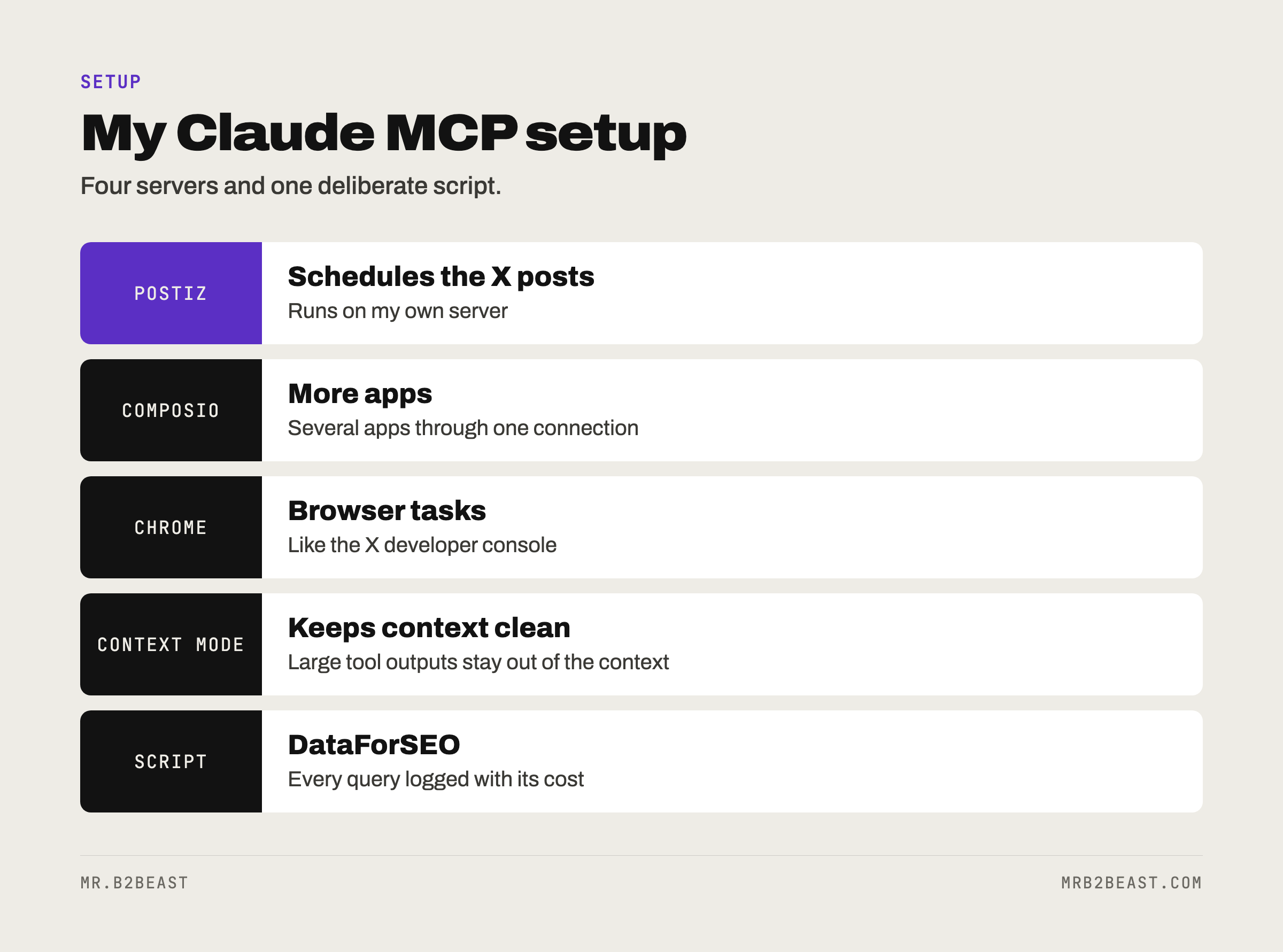
My filter is the four questions in the card above. Is there a job I repeat? Who runs this server? What does it send back? Which scope does it need? If I cannot answer all four, the server waits.
MCP vs skills: which one do you need?
People mix these up, and Anthropic's help center separates them cleanly: MCP connects Claude to external services and data, skills teach Claude how to do a task.
Think of it as hands and habits. An MCP server gives Claude a hand on a system, like your scheduler. A skill gives Claude a habit, like the steps you always follow when you write a post. They work best together: the server makes the action possible, the skill makes it consistent.
If your problem is "Claude cannot reach my tool", you need MCP. If your problem is "I keep typing the same instructions", you need a skill. I wrote a separate guide on that second case: what Claude skills are and when they pay off.
The bottom line
Claude MCP is less about AI and more about plumbing. It turns Claude from a chat window into something that can read and act on your real tools.
Start with one server for one job you repeat every week. Check it with /mcp. Watch what it sends back. Add the second one only when the first one earns its place. And when every call costs money, keep the tool as a script you can audit.
If you want to see where agents fit beyond the plumbing, read what AI agents for small business can and cannot do today, or how I run mine as an AI operating system.
FAQ
What is Claude MCP?
Claude MCP means using the Model Context Protocol with Claude. MCP is an open standard that lets Claude connect to outside tools and data through MCP servers. In Claude Code you add servers with claude mcp add, in the Claude apps they appear as connectors.
What is an MCP server? An MCP server is a program that exposes one system to an AI app. It can offer tools Claude can run, resources Claude can read and prompt templates. It runs either locally on your machine or remotely over HTTP.
Is MCP only for Claude? No. Anthropic introduced MCP in November 2024 and donated it to the Agentic AI Foundation under the Linux Foundation in December 2025. ChatGPT, Visual Studio Code, Cursor and many other tools support it as well.
Are MCP servers safe to use? They are as safe as the people who run them and the data they touch. Install servers only from sources you trust, prefer official servers from the tool vendor, and be careful with servers that read outside content, because that content can carry prompt injection.
Do I need to code to use MCP? No. Adding a server in Claude Code is one command, and in the Claude apps it is a URL and a login. Building your own server takes code. Using one does not.
About the author
Tristan Eilenburg. One person. AI systems. Global reach. I write about building systems that work, with evidence instead of hype.
- X: @MrB2Beast
- LinkedIn: Tristan Eilenburg
- Instagram: @mrb2beast
The newsletter goes out once a week. If this one taught you something, the newsletter is where the next one lands first.
Sources
- Model Context Protocol (2026). What is the Model Context Protocol (MCP)? https://modelcontextprotocol.io/docs/getting-started/intro
- Model Context Protocol (2026). Architecture overview. https://modelcontextprotocol.io/docs/learn/architecture
- Anthropic (2024, November 25). Introducing the Model Context Protocol. https://www.anthropic.com/news/model-context-protocol
- Anthropic (2025, December 9). Donating the Model Context Protocol and establishing the Agentic AI Foundation. https://www.anthropic.com/news/donating-the-model-context-protocol-and-establishing-of-the-agentic-ai-foundation
- Anthropic (2026). Connect Claude Code to tools via MCP. Claude Code documentation. https://code.claude.com/docs/en/mcp
- Anthropic (2026). Get started with custom connectors using remote MCP. Claude Help Center. https://support.claude.com/en/articles/11175166-get-started-with-custom-connectors-using-remote-mcp
- Anthropic (2026). What are skills? Claude Help Center. https://support.claude.com/en/articles/12512176-what-are-skills